
Submitting topology
Run the following to submit the topology to the cluster
storm jar target/org.package-1.0-SNAPSHOT.jar org.package.RandomWordsTopology
The last line of the output:
[main] INFO b.s.StormSubmitter - Finished submitting topology: RandomWordsHdfsTopology
The topology can now be monitored from the storm-ui-server:8874. After a minute or so, you can see the topology visualization.
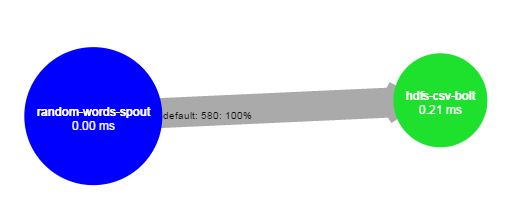
And if you check in HDFS in folder storm-data
sudo -u storm hadoop fs -ls /storm-data
You can see a file is being that the HDFS bolt is appending to. Keep in mind that this example has short random words in spout, so the file will not grow as quickly.
Now we have a simple Storm topology on our cluster.
 markobigdata